
2 years
−62%+6 months free
190 ₽per month
5 700 ₽ in total
Buy for 5 700 ₽Updated
Brawl Stars stopped working in Russia in April 2023, and it won’t sign you in from a Belarusian address either. If you live in one of those countries or are visiting, Bebra VPN on your phone lets the game see the country you choose instead. Tap a country in Bebra first, then open the game.
Android 10 and newer · version 1.21.0
Other options APK fileYandex Cloud mirror
iOS 15.5 and newer · version 1.21.0
On Android, install it from Google Play or from an APK file. On iPhone and iPad, it’s on the App Store. It isn’t in the Russian App Store, and the iPhone install guide covers the other ways in.
Pick a country near you other than Russia or Belarus. A fresh install has no subscription yet, so the Buy Bebra VPN sheet opens first, and you can start with the trial there. Paid already? Choose Already have a subscription? → Sign in to account.
Once you have a subscription, tapping a country connects. The first time, your phone asks whether the app may add a VPN configuration. On an iPhone, allow it and enter your passcode. On Android, just confirm. The top line then changes to Connected to and the country name.
If Brawl Stars was already running, restart it so it goes online through the VPN.
Supercell pulled Brawl Stars from the Russian and Belarusian app stores in March 2022. The iPhone App Store follows the region of your Apple ID rather than your location, so with an Apple ID from another country you can download both the game and Bebra VPN.
On Android, no official store offers the game in Russia or Belarus. If Brawl Stars is already on your phone, Bebra VPN is all you need to sign in. We don’t recommend APK files from download sites, because there’s no way to check that a build is genuine.
Battery savers on Android. Some Android phones put background apps to sleep, and the VPN goes down with them. Open Account → Settings. A Battery saving block there means the phone can still pause Bebra VPN, and Add to exceptions in that block stops it. No block means the app is already exempt.
Your bank outside the VPN. Switching the VPN off to open a banking app makes it easy to forget to switch it back on before a match. On Android, send banking apps straight to the internet instead. Tap Tunnel, choose Manual, then under Apps that bypass the VPN tap Select apps.
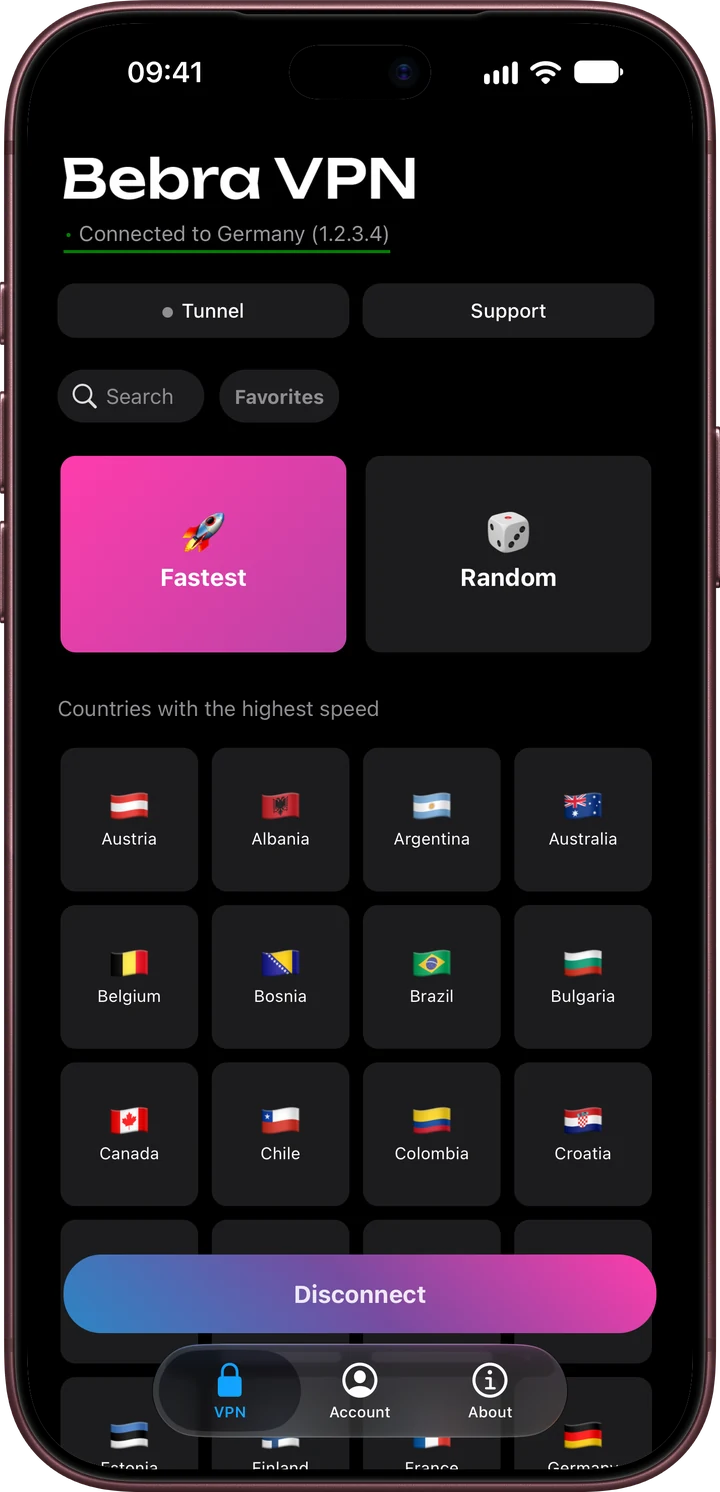
However many phones in your family play, it’s one subscription. There’s no device limit.
+6 months free
190 ₽per month
5 700 ₽ in total
Buy for 5 700 ₽350 ₽per month
4 200 ₽ in total
Buy for 4 200 ₽500 ₽per month
Billed every month
Buy for 500 ₽3 days of full access, then 500 ₽ per month. The subscription renews automatically.
Restart Brawl Stars first, since it may still be using the old address. If that doesn’t help, go to Account → Settings → Find working server. The search finishes within two minutes. After that, the Support chat on the home screen is open around the clock.
No. Russian cards don’t work for these purchases, VPN or not.
Pick a country closer to you from Countries with the highest speed. The longer the route to the VPN server, the later the game server sees each of your moves.