
2 years
−62%+6 months free
190 ₽per month
5 700 ₽ in total
Buy for 5 700 ₽Apple TV runs the same Bebra VPN app from the App Store as your iPhone. You sign in with a one-time code, shown on your phone or on your account page on our website.
The same app from the App Store, sign in with a one-time code · version 1.21.0
Updated
Open the App Store on your Apple TV, search for Bebra and install the app.
The set-top box won’t take a code from a guest account. If the iPhone app still runs as a guest, tap Account → Link e-mail and confirm the address with the code from the message.
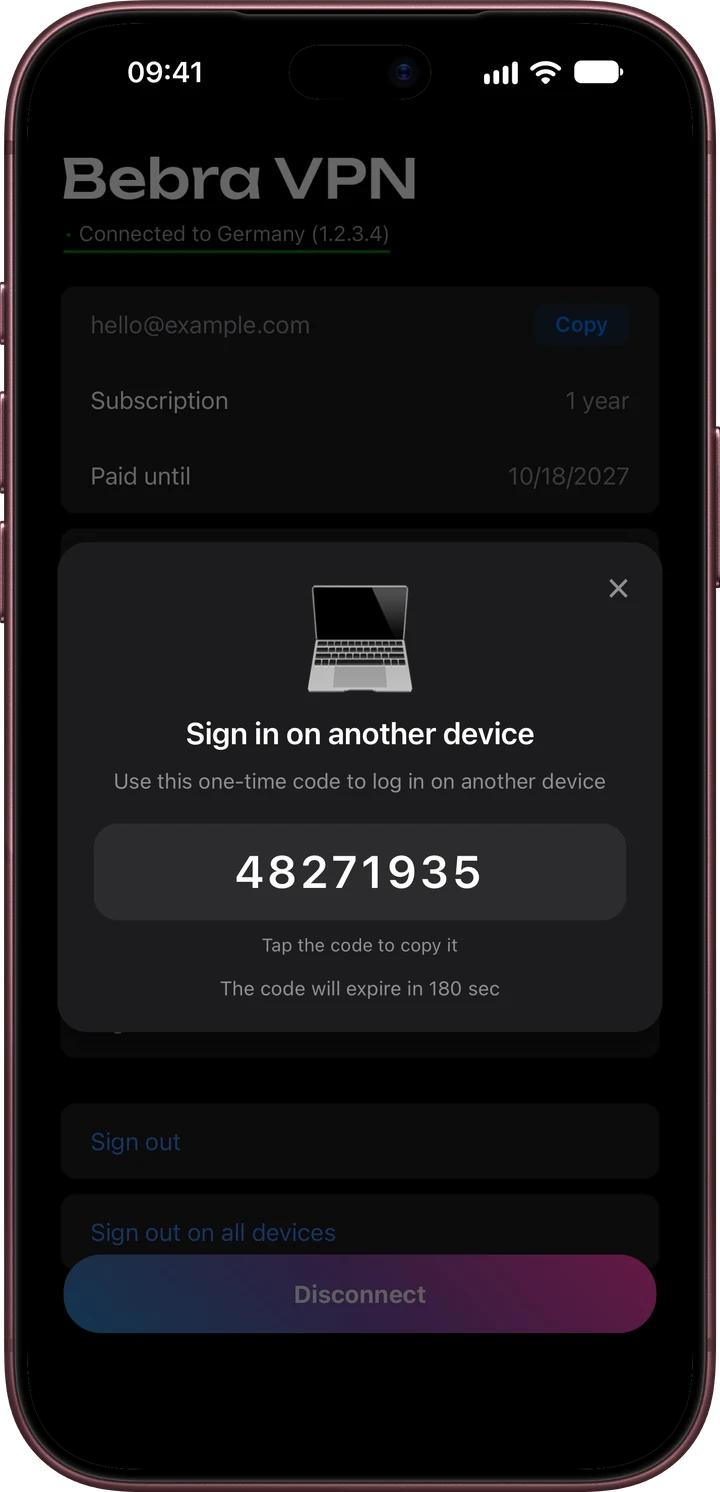
On the iPhone, open Account → Sign in on another device. If the phone isn’t nearby, your dashboard gives you a code with the Show code button.
The code has eight digits and lasts three minutes. If it runs out, request a new one.
Apple TV signs in to the account you already use on your phone or computer, so it runs on the same plan. There’s no device limit, and a second set-top box in another room works the same way.
You can subscribe on the website or in the app on your iPhone. The plan then covers the Apple TV as well.
+6 months free
190 ₽per month
5 700 ₽ in total
Buy for 5 700 ₽350 ₽per month
4 200 ₽ in total
Buy for 4 200 ₽500 ₽per month
Billed every month
Buy for 500 ₽3 days of full access, then 500 ₽ per month. The subscription renews automatically.
Request a fresh code. Each one works once.
Yes. Subscribe on the website, open your dashboard and press Show code in the Quick sign in to the app block.
The Russian App Store doesn’t list Bebra VPN. If your Apple ID is set to Russia, or the app is missing for another reason, write to [email protected]. Support works around the clock.
There’s a separate Android TV build. It installs from an APK and uses the same kind of sign-in code.